


Bible NIV - Audio Bible App
4.51.36K Reviews
App Specs
- Version
- 11.1.0
- Updated On
- License
- Free
- Downloads
- 100,000+
- Developer
- Audio Bible App.
- Categories
- Books & Reference
- Platform
- Android
Screenshots
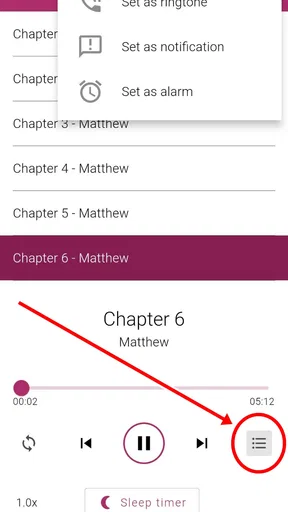

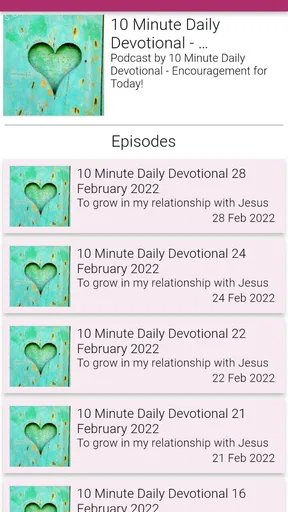
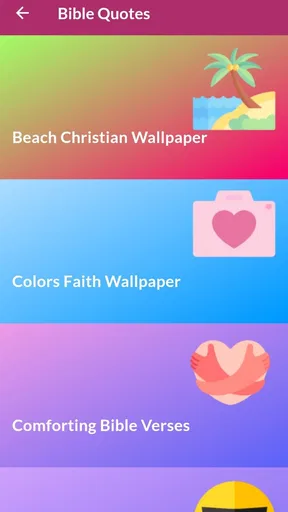
 Analysis by AppCompare
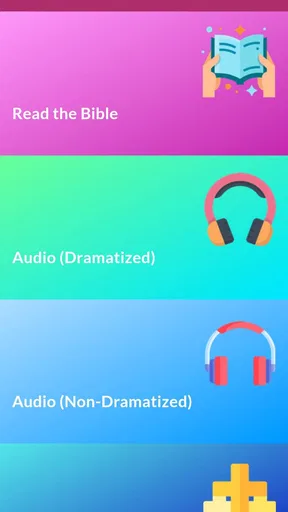
I usually judge a Bible app by a simple question: will I actually open it when I have a few quiet minutes, or will it become another icon I forget? Bible NIV - Audio Bible App makes a strong case for regular use because it combines reading with listening to the NIV translation and offers both dramatized and non-dramatized audio. That combination is more useful than it may sound, especially when reading on a phone is inconvenient.
This is a free Books & Reference app from Audio Bible App, rated 4.5 on average from around 5.5 thousand ratings. It is suitable for Everyone, runs on Android 7.0 and later, and has reached over 100 thousand installs. The current version is 11.1.0. Those details do not replace personal experience, but they do suggest that the app has found a real audience rather than being an obscure experiment.
What I looked for before choosing it
My first decision criterion was the translation. If you already want the NIV, this app starts with an important advantage: it is focused on that specific Bible rather than asking you to sort through a large collection of versions. That makes the experience more direct. I could open it with a clear purpose instead of spending time comparing translations before reading.
The second criterion was flexibility. A reading app is not enough for every situation. I may want to follow the text with my eyes in the morning, listen while doing household chores, or switch to a more expressive presentation when I need help staying focused. Having dramatized and non-dramatized audio gives the app two different moods without changing the underlying translation.
The third criterion was whether it fits ordinary phone habits. I do not want a Bible app that feels like a complicated study platform when I only need to read a chapter. At the same time, I want more than a static digital book. The best balance is quick access for short sessions, with enough audio choice to support longer listening.
That balance is where this app makes its best impression. It is not trying to be every possible kind of Bible tool. Instead, it concentrates on the NIV in written and spoken form. For someone who has already settled on that translation, this narrow focus can be a benefit rather than a weakness.
Reading works best when the goal is simple
I found the app most appealing for straightforward reading: opening a passage, staying with the text, and avoiding unnecessary decisions. A phone screen is not as comfortable as a printed Bible for a long study session, but it is much easier to carry. The app is especially convenient when I want the Bible available without bringing another book along.
Worth Reading Before You Choose

EA SPORTS FC Mobile 26 Is a Bigger Football Game, but It Takes Time

Flipboard Shows What News Apps Must Do Beyond the Feed

Switching to Android Auto Means Rethinking Your Driving Routine

Google Calendar Makes a Crowded Week Easier to Manage

Ludo King Makes the Most of the Minutes Between Plans

Baby Panda World Brings Quick Play to Modern Phones, but Its Game Library Feels Busy
There is also a useful difference between reading for information and reading for attention. When I read quickly, I can miss the rhythm of a passage. Listening slows me down in a different way. I notice repeated phrases, changes in tone, and the shape of a conversation more naturally. That makes the audio side valuable even when I normally prefer printed pages.
My practical tip is to decide what kind of session I want before opening the app. For a short devotional moment, reading may be faster. For a walk or a routine task, audio is the obvious choice. For difficult narrative sections, dramatized audio may help me keep track of who is speaking. For quiet reflection, non-dramatized audio is less likely to pull my attention toward performance.
The two audio styles are more important than they first appear
The dramatized and non-dramatized options are not just cosmetic alternatives. They suit different listeners and different passages. A dramatized presentation can make dialogue and scene changes easier to follow, particularly when I am listening without looking at the screen. It may also help someone who struggles to stay engaged with a long, continuous narration.
The trade-off is that a more expressive presentation will not suit everyone. Some listeners want the words delivered plainly so they can concentrate on meaning without extra vocal interpretation. In that situation, the non-dramatized option is the safer everyday choice. I would start there, then try the dramatized version when attention becomes a problem.
This is one of the app’s less obvious strengths: the choice can be treated as a listening tool, not merely a preference setting. I would use the plain version for repeated listening and the dramatized version when introducing a passage to someone who finds conventional audiobook narration difficult to follow. That small change can make the same content feel much more accessible.
A realistic daily routine
Imagine a weekday morning when there is no time to sit with a physical Bible. I could open a selected passage before leaving home, read a few paragraphs, and then continue listening during a walk. Later, I could return to the written text to check a line that stood out. The useful part is not any single mode; it is the ability to move between reading and listening without changing the translation.
Another realistic use is family listening. A dramatized presentation may be easier for several people to follow than passing a phone around and asking everyone to read at the same pace. The Everyone age rating also makes the app approachable for households looking for a Bible resource that is not presented as an adult-only product.
For study groups, I would be more selective. The app can support reading or listening before a meeting, but it should not automatically replace a dedicated study resource. Someone who needs extensive cross-references, original-language tools, multiple translations, or detailed note management may find a broader Bible platform more suitable.
Where this app wins, and where another type may fit better
I weigh this app against alternatives by asking what I would want close at hand after the first burst of curiosity has passed. Its focused NIV reading and two listening styles are most useful when they fit an existing routine, while a broader study app may serve better if my habits depend on comparing translations or organizing research. The key distinction is whether I need a dependable way to return to the text or a larger set of study tools.
Its strongest advantage is focused access to the NIV
Many Bible apps compete by offering a large library of translations, study materials, reading plans, notes, and community features. That breadth can be useful, but it can also make a simple reading session feel crowded. This app’s identity is clearer. If the NIV is the translation I want, I can spend less time configuring the experience and more time using it.
The audio focus also gives it a practical edge over a basic electronic Bible. A plain text reader may be fine at a desk, but it does not address the moments when my hands and eyes are occupied. Here, listening is not an afterthought. The presence of both audio styles makes it easier to choose an approach based on concentration, surroundings, and the kind of passage I am hearing.
I also like that the app remains accessible as a free download. That lowers the barrier for someone who wants to try audio Bible listening without committing to a paid service first. There are in-app purchases ranging from $0.49 to $9.99 per item, so I would still check the purchase prompts carefully, but the starting point is easy to approach.
My advice is not to assume that a free app must be limited in usefulness. For a reader whose main needs are the NIV, written access, and audio in two presentation styles, this can cover the essentials without demanding a complicated setup. The value comes from matching the app to a focused need.
Where a broader Bible app may be the better choice
I would look elsewhere if my priority were comparison between many translations. This app is built around the NIV, so a multi-version study app would be more efficient for checking how different translations handle a difficult verse. Switching between separate apps just to compare wording would add friction.
I would also consider another category of app if I needed advanced study organization. Researchers, pastors, and serious group leaders may want tools such as extensive cross-references, searchable notes, original-language material, or a large commentary collection. Those needs are different from the straightforward reading-and-listening experience this app emphasizes.
There is a similar trade-off with social and structured reading features. If motivation depends on shared plans, progress dashboards, or interaction with a reading community, a platform designed around those activities may be a better fit. I would not choose this app expecting it to replace every kind of spiritual study or accountability tool.
The audio style itself can also determine whether it is right for you. Some people find dramatized narration engaging, while others find it distracting. If you strongly dislike expressive audio, the non-dramatized option should be your starting point. If neither style feels comfortable, a conventional audiobook service or a different Bible audio app may suit your listening habits better.
Small points that affect everyday use
Audio changes the way I manage attention. When I read, I can stop instantly at a sentence and look back over a paragraph. Listening is more fluid, but it is also easier to lose my place when interrupted. I would use audio for continuity and reading for close examination. Treating the two modes as complementary prevents disappointment.
Another useful workflow is to listen first and read afterward. The first pass gives me the overall movement of a chapter, while the second lets me slow down around names, repeated ideas, or sections I did not fully absorb. This is particularly helpful with longer passages where silent reading can become hurried.
I would also avoid choosing the dramatized mode automatically for every session. It can be excellent when I am tired or when dialogue is central, but the more neutral presentation may be better for memorization or quiet reflection. The right choice depends on whether I need energy, clarity, or calm.
Because the app is available for Android 7.0 and newer, it is not restricted to only recent phones. That matters for readers who keep an older device as a dedicated media or reading phone. In practice, I would still make sure the device has enough battery and storage for comfortable audio use, especially if I plan to listen away from a charger.
The developer, Audio Bible App, has kept the product’s purpose easy to understand. I do not have to learn a large ecosystem before benefiting from it. That simplicity is a genuine strength for first-time Bible app users, older family members, or anyone who finds feature-heavy apps tiring.
The cost of switching from another Bible app
Moving to this app is easiest when the NIV is already your preferred translation. In that case, the main adjustment is learning a new reading and listening workflow rather than changing the words you are accustomed to. I would begin with one familiar book or passage, test both audio styles, and see whether the navigation feels natural before making it my main app.
The switch is less attractive if your current app contains years of notes, bookmarks, study highlights, or carefully organized reading plans. Those personal materials can be more valuable than a cleaner audio experience. I would keep the old app for reference and use this one alongside it rather than abandoning everything immediately.
There is also a habit cost. If I normally read only in print, listening requires a different kind of attention. I would start with short sessions rather than expecting myself to absorb a full book through audio immediately. A short daily passage can reveal whether the narration style works for me without making the change feel like a chore.
For someone coming from a general audiobook app, the advantage is concentration on the Bible rather than browsing unrelated titles. The disadvantage is that a general service may offer a familiar queue, broader playback controls, or a larger audio library. The better choice depends on whether I want a dedicated NIV experience or a single app for all spoken books.
Who should install it
I would recommend it to readers who specifically want the NIV and appreciate having both text and audio in one place. It is also a good candidate for commuters, walkers, people with limited screen time, and anyone who wants to make listening part of a daily routine. The free entry point makes experimenting straightforward, while the Everyone rating keeps it suitable for a broad household audience.
I would be more cautious for someone who has not chosen a preferred translation yet. That person may benefit from an app that makes translation comparison central. I would also point advanced study users toward a more comprehensive Bible platform if their main goal is research rather than reading or listening.
My final recommendation is positive but specific: choose Bible NIV - Audio Bible App when the NIV is your destination and audio is an important part of how you consume Scripture. Its real advantage is the practical bridge between reading and listening, with a choice between expressive and straightforward narration. It is not the universal answer for every Bible study style, but it is a focused, approachable option for building a repeatable reading-and-listening habit.
After using it, I would keep the decision simple. Start with the non-dramatized audio for a calm baseline, try dramatized narration with dialogue-heavy passages, and return to the written text when you need to examine a verse closely. If that rhythm matches your life, this app can earn a regular place on your phone without requiring a complicated commitment.
Pros
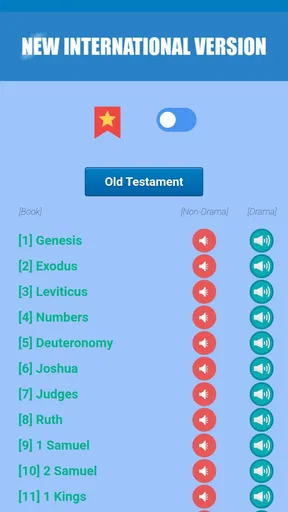
- Includes the complete New International Version Bible text.
- Audio playback makes listening convenient during commutes or quiet time.
- Search tools help locate verses
- books
- and keywords quickly.
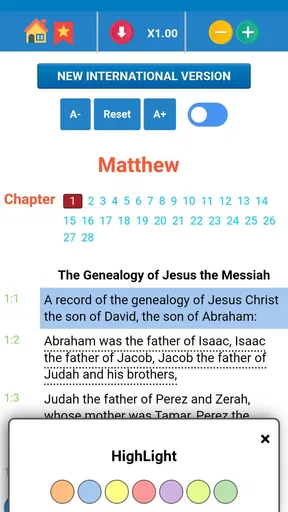
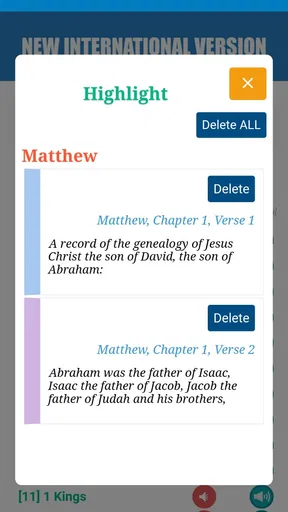
- Bookmarks and highlights make it easy to save meaningful passages.
- Readable layout works well for both short studies and extended reading.
Cons
- Audio features may require an internet connection or extra downloads.
- Some advanced features may be limited to a paid subscription.
- Advertising can interrupt the experience for users on the free version.
- The NIV translation may not suit readers who prefer more literal wording.
- Large audio files can use considerable storage and mobile data.
FAQs for Bible NIV - Audio Bible App
What is the Bible NIV - Audio Bible App?
Bible NIV - Audio Bible App is a mobile Bible reader designed around the New International Version (NIV) translation. It lets users read Scripture by book and chapter, while also providing audio playback for listening during commutes, study sessions, or personal devotion. Depending on the version installed, features may include bookmarks, highlights, notes, search tools, and reading history.
Is the NIV Bible available to read and listen to for free?
The app may offer free access to some or all Bible content, but availability can vary by developer, region, platform, and app version. Audio features, offline downloads, an ad-free experience, or additional study tools may require an in-app purchase or subscription. Before downloading, check the Google Play Store or Apple App Store listing for current pricing, trial terms, and included features.
Does the app work offline?
Offline use depends on how the application handles Bible text and audio files. Reading may be available without an internet connection after installation, while audio chapters could require streaming or a separate download to your device. If offline listening is important, review the app’s download settings and test a chapter before traveling or relying on it without mobile data.
Can I adjust the audio and reading experience?
Most versions of the Bible NIV - Audio Bible App provide basic controls such as play, pause, chapter navigation, and audio progress adjustment. Some releases may also include playback speed controls, background listening, sleep timers, font-size options, dark mode, or screen customization. The exact tools can differ, so users should inspect the current feature list and settings after installation.
Is this app suitable for Bible study as well as casual listening?
The app can be useful for daily reading, devotional listening, and becoming familiar with the NIV text, especially through bookmarks, search, highlights, or notes when those tools are included. However, it may not replace a full study Bible with extensive commentary, original-language references, maps, or scholarly notes. Users seeking deeper research should consider pairing it with trusted study resources.


